
Part of our guideOffsite Monitoring →
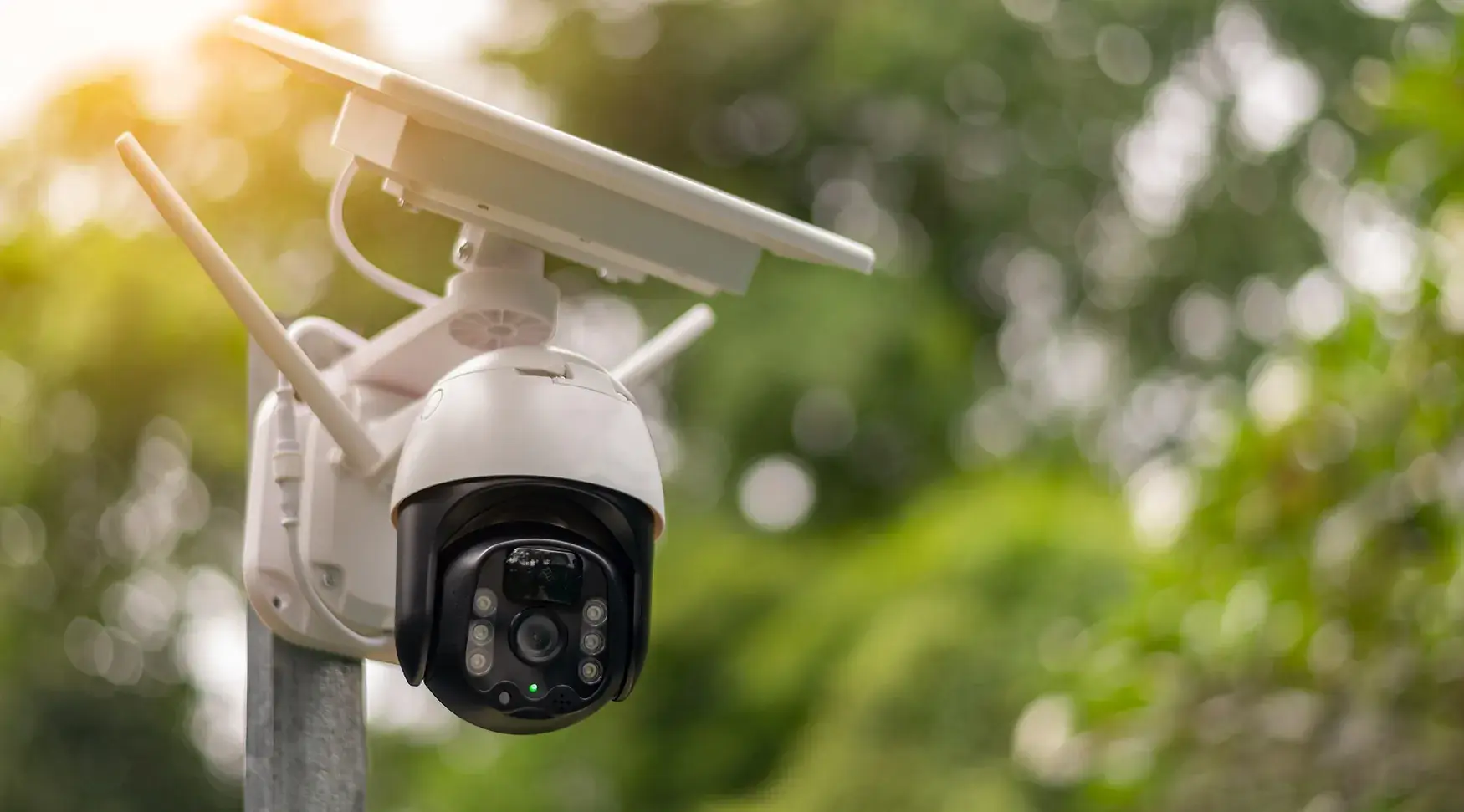
Virtual guarding is remote security in which trained control room operators watch a site through its cameras and analytics, warn intruders over on-site speakers, and dispatch armed response, SAPS or keyholders when a threat is real. It costs R950 to R3,500 a month per site on our 2027 averages, and it can replace or reduce guard posts on sites that are empty after hours.
This 2027 guide is for operations, facilities and risk managers deciding whether virtual guarding can replace or reduce guard posts at a site. It explains how a CCTV monitoring control room turns an alert into a talk-down and a call-out, what a site needs, and which sites it suits.
Key takeaways
- Virtual guarding is monitoring that acts: an operator verifies each alert, warns the intruder over speakers and sends a response.
- It costs R950 to R3,500 a month per site on our 2027 averages, against the cost of staffing a guard post around the clock.
Want a system designed around your site?
We design every system around your premises, risks and operations, starting with a free on-site assessment.
Request a Free Site AssessmentCall 0861 002 288What is virtual guarding?
Virtual guarding is a form of offsite monitoring in which a control room does the job of a patrolling guard remotely. Cameras and AI analytics watch the site; when something crosses a fence line or enters a zone after hours, the alert goes to an operator who checks it on live video and responds. Remote guarding and virtual security guard are other names for the same service.
The difference from ordinary recorded CCTV is that someone acts while the incident is happening. Recorded cameras tell you what happened; virtual guarding tries to stop it.
How does virtual guarding work?
Virtual guarding works by linking a site's cameras, analytics and speakers to a control room that follows a written response plan for that site:
- Detect: AI analytics on the cameras flag a person or vehicle in a protected zone, often with a thermal security camera on long or dark perimeters.
- Alert: the alert and a video clip reach the control room. Our operators work with black screen monitoring: screens stay blank until an alert arrives, so they are not staring at hours of empty footage.
- Verify: an operator checks the clip and live video to confirm a real threat rather than an animal or moving vegetation.
- Talk down: the operator speaks to the intruder through on-site speakers, telling them they are being watched and that response is on its way.
- Dispatch: if the person does not leave, or the threat is serious, the operator calls armed response, SAPS or keyholders in the agreed order.
- Record: the incident, the calls and the footage are logged for the client.
To see what happens inside the control room in more detail, read inside a 24/7 CCTV control room.
How does an AI talk-down work?
An AI talk-down is the voice warning an operator gives through on-site speakers once analytics have flagged someone. Because the operator can see the person, the warning can describe them ("the person in the red jacket at the back gate"), which tells them they are being watched live, not just recorded.
Can virtual guarding replace security guards?
Virtual guarding can replace guard posts on sites that are empty after hours and need detection and response rather than a person on the gate. It does not replace a guard where someone must be physically present, for example to check vehicles, search staff or handle visitors during the day. Many sites use both: guards by day, virtual guarding at night and over weekends.
| Virtual guarding | On-site guard post | |
|---|---|---|
| Sees the whole site at once | Yes, through every camera | One area at a time |
| Warns intruders | Yes, over speakers | In person |
| Physical presence | No; dispatches armed response | Yes |
| Checks vehicles, visitors and staff | No | Yes |
| Supervision | Team leader per shift in the control room | Depends on the guarding contract |
| Typical monthly cost | R950 – R3,500 per site (our 2027 averages) | The cost of staffing the post around the clock |
For a full cost comparison with guarding and armed response, read what offsite CCTV monitoring costs per month.
Which sites suit virtual guarding, and which do not?
Virtual guarding suits sites that are closed or quiet for long periods and have clear boundaries:
- Warehouses and distribution centres: yards, loading bays and trailer parks after hours. See CCTV for logistics and warehousing.
- Factories and plants: fence lines and stores when production stops. See integrated security for factories.
- Construction sites and vacant premises: materials and plant on open sites, often with solar CCTV where there is no power.
- Retail and business parks: perimeters, car parks and back doors after closing.
- Farms and remote infrastructure: long boundaries with no one on site.
It suits a site less well when someone must be physically present all day, when there is no reliable internet connection or power, or when the response time to the site is too long to matter.
What does a site need for virtual guarding?
A site needs cameras that can see each zone at night, analytics to raise reliable alerts, speakers for talk-downs, and a stable connection and power so the control room never loses the site:
| Requirement | Why it matters |
|---|---|
| IP cameras with a video stream the control room can receive | So operators can see the site live. See IP cameras for business |
| AI analytics or perimeter detection | So alerts are reliable and false alarms are filtered out |
| On-site IP speakers | For talk-downs |
| Lighting or thermal cameras | So the cameras see clearly at night |
| Stable internet with a backup | So video reaches the control room |
| UPS, inverter or solar backup | So the site stays online in load-shedding |
| A written response plan | So operators know who to call, in what order |
What should you check before choosing a virtual guarding provider?
- Control room: is it in-house, staffed 24/7 and supervised on every shift?
- Talk-downs: can operators speak to the site through speakers, and is that tested?
- Response: which armed response companies can they dispatch in your area?
- False alarms: how are analytics tuned so operators are not flooded with alerts?
- Reporting: what incident reports do you get, and how quickly?
- Credentials: is the provider PSIRA registered and SAIDSA graded? CCTVSA is PSIRA 960468 and 4412150 and SAIDSA Grade A (ASP-1571).
What does the research say?
Actively monitored CCTV, where operators alert security or police while an incident unfolds, was associated with significant crime reductions, while systems that only record showed no significant effect. (Piza et al. (2019), 40-year CCTV meta-analysis, via CrimeSolutions)
A US National Institute of Justice guide found that after only 20 minutes of watching monitor screens, the attention of most people falls well below acceptable levels, which is why alert-driven monitoring works better than staring at live feeds. (Green (1999), National Institute of Justice)
Under the Private Security Industry Regulation Act, monitoring signals or transmissions from electronic security equipment is itself a "security service", and section 20 says no one may render a security service for reward unless registered with PSIRA. Any virtual guarding provider should therefore give you a PSIRA number you can verify. (Private Security Industry Regulation Act 56 of 2001, s1 and s20, via SAFLII)
The Bottom Line
Virtual guarding puts a supervised operator on your site through its cameras and speakers, so intruders are warned and response is sent while an incident is happening. For warehouses, factories, construction sites and other sites that are empty after hours, it can replace or reduce guard posts at a fraction of the cost.
To find out whether your site suits it, get a virtual guarding quote or call 0861 002 288. We provide offsite monitoring in Johannesburg from our Gauteng branch, offsite monitoring in Durban from KwaZulu-Natal, offsite monitoring in Cape Town from the Western Cape, and offsite monitoring in Gqeberha from the Eastern Cape.
Ready to put this to work on your site?
Book a free site assessment. We'll look at your premises, recommend the right system for each area and show you where it will make the biggest difference, with no obligation.
Request a Free Site AssessmentSpeak to a Security Specialist